
Microsoft Certified Solutions Associate – MCSA Course for System Administration Roles
The MCSA course from Rexton IT Solutions provides comprehensive training to help you land entry-level roles at your dream organization. This course will start from Windows Server fundamentals and will proceed to advanced topics, including Hybrid integration, Server Monitoring, Virtualization, and more. Moreover, our MCSA classes take a practical approach and primarily focus on skill development.
Enroll Now
Book A Demo Class
Why Is This MCSA Course Different?
At Rexton IT Solutions, we innovate in our teaching methods and offer an innovative learning experience that includes practical assignments, efficient instructions with AI models, and interview preparation. Overall, this Microsoft Certified Systems Administrator Course will equip you with comprehensive theoretical knowledge while helping you develop in-demand skills. The course highlights are included in the list below:
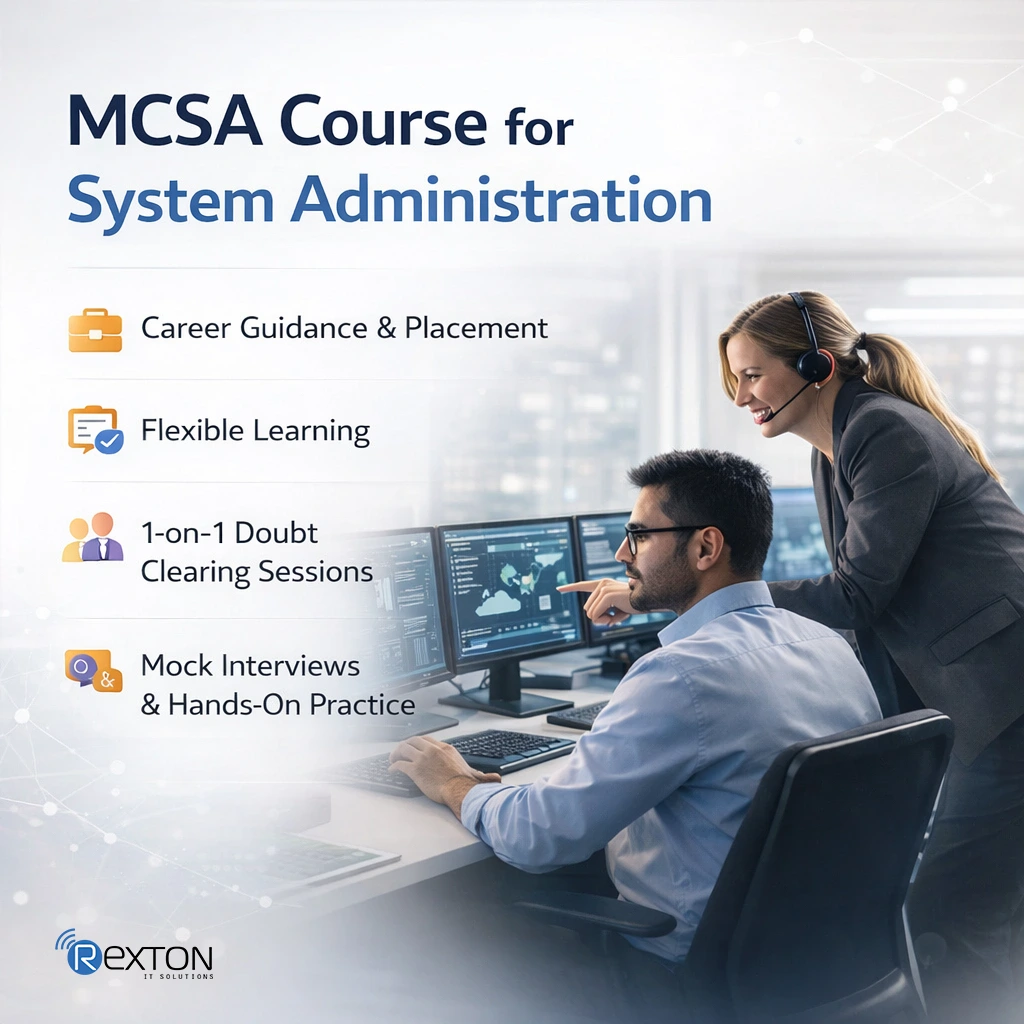
- Career Support – Get career guidance from industry experts and access multiple job opportunities through placement drives
- Flexible Learning – Learn at your own pace with online learning modules
- 1-on-1 Training – Clear all your doubts with personalized doubt-clearing sessions
- Mock Interviews – Interview preparation at the course’s end to be job-ready
- Continuous Learning – Access the courses anytime from anywhere for a lifetime
- Practical Learning – Develop practical skills with hands-on experience
This MCSA course is ideal for both students and working professionals with time constraints. Our flexible learning modes will help you balance your skill development with work and academic education.
- Online Classes: Easily accessible online classes that make learning more flexible. Access the course content from anywhere and continue learning from home or any place convenient for you.
- Offline Classes: Our interactive offline classes with experienced faculty will provide you with deeper insights and advanced lab sessions.
- Doubt Sessions: Attend special doubt sessions with experts and ask all your doubts. This will help in building the necessary foundation for advanced learning.
While the MCSA certification retired on 31 January 2021, the MCSA course and the skills it teaches remain relevant and in high demand. Enrolling in this course will help you learn how to install, operate, and maintain essential Microsoft technologies. In addition to the core topics, the Microsoft Certified Systems Administrator Course and training by Rexton IT Solutions offer you hands-on experience with our advanced labs. As a result, by the end of the course, you will gain the key conceptual knowledge and the experience of applying that knowledge to practical scenarios.
Microsoft certification courses and MCSA classes by Rexton IT Solutions offer the following benefits:
- Covering the latest curriculum, including all the crucial technical updates
- Providing learning through a practical approach with labs and assignments
- Grow your career in server administration, network infrastructure, and computer networking
- Covering beginners to advanced topics, helping both experienced and new candidates
- Assessments after every module and chapter to help grasp the key concepts better
- Doubt session for candidates so that they can revise tough modules
Our MCSA course is specially designed to help candidates with a non-IT background. Our trained faculty members will help you understand the key topics and ensure you gain an in-depth understanding of the fundamentals.
Why Choose Rexton IT Solutions for MCSA Training Online
Our experts have designed this MCSA course prioritising practical learning. Consequently, the whole course focuses on skill development through assignments, assessments, and work on real-world problems. By the end of the course, you will have job-ready skills and a strong resume, which will significantly enhance job opportunities for you. Rexton IT Solutions stands out from the rest of the courses with:

Experienced faculty members who have practical experience with Microsoft technologies
Covering the latest curriculum with upgraded topics, including AI and automation
Reliable job support with positive results
Learn how to install, configure, and manage Windows Server environments, including Windows security
Primary focus on skill development, go beyond theory with Rexton IT Solutions
Transparent pricing for all courses, promoting affordable learning
Training Features

1-on-1 Training
Clear All Your Doubts

Flexible Learning
Online and Offline Classes for Self-paced Learning

Mock Interviews
Complete Preparation for Technical Interview Rounds

Placement Support
Start and Grow Your Career with Us
Job-Oriented Learning
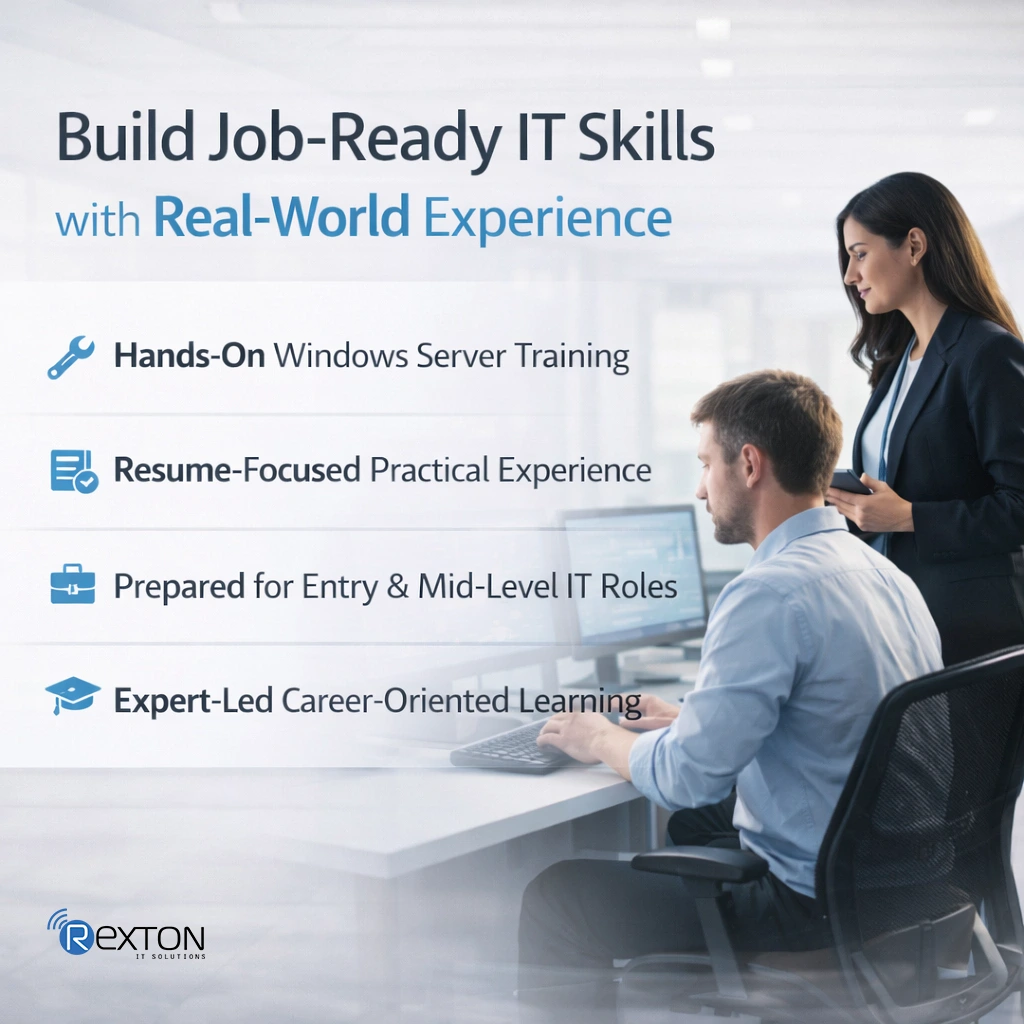
Even without the MCSA Certification, enrolling in this course will provide you with job-ready skills. That is what job-oriented learning at Rexton IT Solutions means. Modern recruiters not only look for skills on your resume, but also check if you have practical hands-on experience. We aim to strengthen your resume by adding hands-on experience with Windows Server Administration tools and software applications. Moreover, our Microsoft Certified Systems Administrator Course will help you prepare for entry-level and intermediate roles in core IT infrastructure.
Join Rexton IT Solutions and grow your career in the right direction with the expert’s supervision.
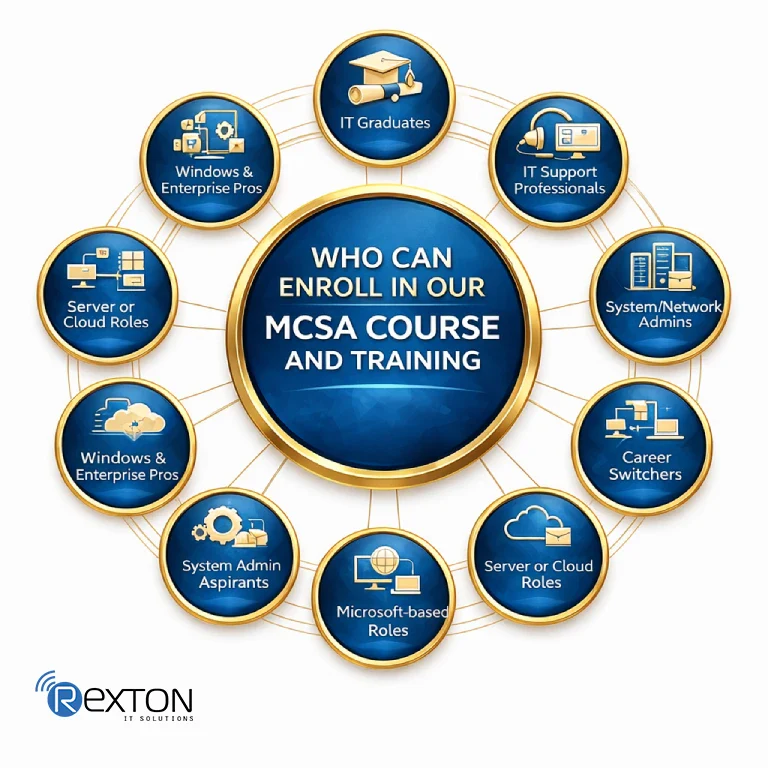
Who Can Enroll in our MCSA Course and Training
The MCSA Course by Rexton IT Solutions is beginner-friendly and ideal for students and working professionals. Also, there are no strict educational or academic requirements to enroll. Therefore, this course is perfect for:
- Fresh graduates from IT, computer science, or related fields
- IT support/helpdesk professionals looking to upgrade skills
- System or network administrators at a junior level
- Career switchers entering the IT infrastructure domain
- Anyone with basic computer and networking knowledge
- Aspirants aiming for a career in system administration or IT infrastructure
- Professionals who work with Windows Server, Active Directory, and enterprise networks
- Candidates preparing for server, cloud, or Microsoft-based roles
- Those seeking a strong foundation before advanced certifications (Azure, MCSE-style paths).
If you are unsure whether you should enroll in our MCSA classes, please contact us. Our experts will help you make the right choice.
Getting Started
This course is designed to help you build practical knowledge and develop industry-relevant skills through a structured learning path.
You’ll gain access to:
- Comprehensive learning modules
- Practical exercises and real-world examples
- Downloadable resources and reference materials
- Assessments to evaluate your progress
Whether you’re a beginner or looking to enhance your expertise, this course provides everything you need to learn at your own pace and achieve your goals.

What Do You Need to Know Before Enrolling in the MCSA Course
As noted earlier, there are no strict prerequisites for enrolling in the MCSA Course. However, this course will cover advanced Windows Server concepts, including virtualization and security. Hence, having a fundamental knowledge of the following will significantly improve your learning curve:
- Basic computer knowledge (Windows OS, file systems, user accounts)
- Fundamental networking concepts (IP addressing, DNS, DHCP – basics are enough)
- Understanding of IT concepts like servers, clients, and domains
- No mandatory certification is required to start the course
- Prior exposure to CCNA or basic networking is helpful but not compulsory.
- Windows Server 2025 Overview
- Overview of Windows Server 2025 Management
- History of Windows Server
- Plan for Windows Server – Installation Requirements and Edition Per Workload
- Installing Windows Server 2025
- Post-Installation Configuration of Windows Server 2025
- Manage Windows Server Core
- Introduction to Windows PowerShell
- Overview of AD DS
- Overview of Domain Controllers
- What’s New in Active Directory?
- Installing a Domain Controller
- Installing a Additional Domain Controller
- Installing a New Tree or Child Domain
- Active Directory Management Tools
- Installing AD DS Management Tools
- Read-Only Domain Controller
- RODC Installation and Configuration
- Password Replication Policy
- Managing User Accounts – Edit a User Account
- Managing Group Accounts
- Managing Computer Accounts – Supplemental File
- Limitations of Joining Computers to AD
- Use Commands to Join a Domain
- Delegating Administration
- User Profile
- Home Folder
- Logon Scrip
- Using Command-line Tools for AD DS Administration
- Using Windows PowerShell for AD DS Administration
- Performing Bulk Operations with Windows PowerShell
- Transfer a FSMO Role
- Seize a FSMO
- Domain Relationships – Trust Types
- Trusts and Direction
- Create a Trust
- Verify a Trust and Selective Authentication
- Intrasite Replication
- Intersite Replication
- Advanced Site Topics
- Replocation Monitoring
- Clean Up Metadata, Offline AD and Defragmentation
- Backup and Restore of Active Directory -RecyleBin
- Active Directory Installations Debug – Health Check
- Implementing a high availability and disaster recovery solution
- Backing up and restoring by using Windows Server Backup
- File Folder Backup
- Introduction to Group Policy
- Group Policy Processing
- Group Policy Scope of Management
- Processing Adjustments
- Processing Adjustments: WMI and Security Filtering
- Processing Adjustments: WMI and Security Filtering
- Introducing Interforest Migrations
- Establish Interforest Connectivity
- Configure SID History Migration
- Introducing AD DS Migration to Windows Server 2025
- Planning Your Migration to Windows Server 2025
- Prep Your Environment for Migration
- Migrate FSMO Master Roles
- Decom the Old Server
- Upgrade the Domain and Forest
- Summarizing AD DS Upgrades
- Introducing Windows Server Monitoring Management
- Install Windows Admin Center
- Add Inventory to Windows Admin Center
- Connect WAC to Azure
- Manage Servers from WAC
- PowerShell Remoting
- Summarizing Windows Server Management
- OSI Layers
- TCP-IP Layers
- IP Addressing
- Subnetting
- Supernetting
- DHCP Overview and Install
- DHCP Scope Creation, DHCP Reservations, DHCP Options
- DHCP Policies, DHCP Super and Multicast Scopes
- DHCP L2 MAC Filtering
- DHCP User Classes
- DHCP Dynamic Updates to DNS, DHCP Backup, Restore, Import, Export
- DHCP Failover DHCP Split Scopes
- DHCP Troubleshooting
- DHCP Relay Configuration
- DHCP Migration
- DNS Overview and Install
- DNS resolving and Queres, DNS Root Hints
- DNS Zones, DNS Records, DNS Scavenging, DNS Forwarding
- DNS Delegation, DNS Round Robin, DNS Recursion, DNS Security (DNSSEC)
- DNS Cache Locking and Socket Pool, DNS Response Rate Limiting
- DNS Policy: Load Balancing, DNS Policy: Client Source Address
- DNS Policy: Time-based Requests, DNS Logging and Tuning
- DANE and TLSA Records
- DNS GlobalNames Zone
- Troubleshooting DNS
- IPAM Overview and Installation
- Manage DNS using IPAM, Manage DHCP using IPAM
- IPAM Role-based Access Control (RBAC), Using IPAM to Manage IP Addresses
- IPAM Migration and Auditing
- Configure Disks and Partition Basic disk – Dynamic- GPT -RAID
- Configure Virtual Disks -Create VHD And VHDX Mount VHD
- Configure and Manage Storage Pools
- Overview of DAS, NAS, and SANs
- Comparing Fibre Channel, iSCSI, and Fibre Channel over Ethernet
- Understanding iSNS, DCB, and MPIO, Configure Storage Replica
- Storage Migration
- Implement Data Deduplication and Monitor Deduplication
- File System FAT – NTFS – REFS, Configure Shares – SMB – NFS
- Configure Permissions – Sharing And Security
- File Server Resource Manager -Quota – Shadow Copy Data Classification
- File -Folder Encryption
- Configure Replication
- Namespace Failover
- DFS Site Awareness, DFS Scheduling, Staging, Compression, and Optimization
- Introducing Securing Windows Server Storage
- Setting up BitLocker on Windows PCs
- Unlocking an Encrypted Hard Drive
- BitLocker Enterprise Solutions
- Hyper-V requirements and Install Hyper-V, Configure and Remotly Manage Hyper-V
- Create Virtual Machines – Delegate VM, Implement Nested Virtualization
- Configure Virtual Machines – Dynamic Memory – Smart Paging – Resource Metering
- Manage Virtual Machines – Add Remove Memory VM –
- Enhance Session Mode – DDA – Import Export VM
- Move And Convert VM From Previous Version of Hyper-V
- Hyper – V Storage VHD – VHDX – Shared VHD – Thin and Thik Disk – Pass-Through – QOS
- Configure Hyper-V Networking – Virtual Switch –
- Add remove NIC – Synthetic and Legacy Adaptor – MAC Address – Configure Network Isolation
- Hyper-V Networking – Bandwidth Management – VMQ – Optimize Network Performance – RDMA
- Configure CPU Groups
- Implement Hyper-V Cluster
- Hyper-V Migration – Storage Migration
- Hyper-V Loadbalacing
- Introducing Hyper-V Replicas
- Planning for Hyper-V Replicas
- Configuring Hyper-V Replica Settings
- Virtual Machine Replication
- Perform a Failover
- Implement Network Load Balancing – NLB Nodes
- Configure Affinity – Port Rule And Cluster
- Operation Mode – Upgrade NLB
- Introduction to Failover Clustering – Workgroup – Single Domain -MultiDomain
- Configure Failover Clustering
- Manage Failover Clustering – CAU and Backup
- Operating System Rolling Upgrade – Restore Single Node and Cluster Configuration
- Implement Scale-out File Server (SoFS)
- Implement Hyper-V Clusters – Migration – Import And Export VM
- Node Fairness VM network Health – VM Monitoring – Drain And Shutdown
- Implement Stretch Clusters – Cloud Witness – Storage Replica
- Stretch And Site Aware Failover Cluster – VM resiliency
- Implement Storage Spaces Direct
- WSUS overview and deployment options
- Update management process with WSUS
- Implementing WSUS and deploying updates
- Monitoring tools Using – Performance Monitor – Resource Monitor
- CPU – Memory – Disk – Networking Counters
- Configure Data Collector Sets – Configure Alerts
- Monitoring event logs
- Remote Access VPNs and Site-to-Site VPN
- Using Digital Certificates with VPNs, Local Network Policy Server
- NPS with RADIUS, NPS Imports, Exports, and Templates
- RADIUS Proxy, RADIUS Accounting, VPN Connection Profiles using CMAK
- Dynamic NAT/PAT, Port Forwarding NAT/PAT
- Install a Certificate Authority
- Installing a Subordinate CA
- Deploying and managing certificate templates
- Create Windows Defender Application Control Policies
- Deploy WDAC Policies
- Preparing for Windows Defender for Endpoints Deployment
- Enable Windows Defender Credential Guard
- Introducing Active Directory Troubleshooting
- Digging into Event Viewer
- Event Tracing with tracelog.exe
- Understand Domain Controller Replication
- Digging into Replication with PowerShell
- Quick Replication Status and More with Dcdiag.e
| Exam Name | Exam Code | Fee |
|---|---|---|
| Administering Windows Server Hybrid Core Infrastructure | AZ-800 | INR-4865 |
| Configuring Windows Server Hybrid Advanced Services | AZ-801 | INR-4865 |
| Azure Administrator Associate | AZ-104 | INR-4865 |
| Azure Security Engineer Associate | AZ-500 | INR-4865 |
| Cybersecurity Architect Expert | SC-100 | INR-4865 |
MCSA Course Features
Our comprehensive Microsoft Certified Systems Administrator Course includes the following materials:
Lectures that are carefully divided into modules for in-depth learning
Special personalised sessions by industry experts
Real-world projects for hands-on experience
Mock interviews with the latest and most relevant questions
Flexible online classes, with modules and resources available 24/7
Career guidance and counseling for choosing the right career path
Book A Demo Class
Benefits of Our Comprehensive MCSA Course and Training


Lectures by Experienced Professionals

Updated Curriculum and Modern Tools

Efficient Learning with AI
High-Paying Role after MCSA training
| Job Role | Typical Responsibilities | Average Salary in India (₹ / Year) |
|---|---|---|
| System Administrator / Windows Server Administrator | Manage Windows servers, Active Directory, backups, user access, and system performance | ₹3.5 L – ₹9 L |
| Network Administrator | Maintain LAN/WAN networks, monitor connectivity, configure switches and firewalls | ₹4 L – ₹8 L |
| IT Support / Help Desk Engineer | Handle system issues, user support, software installation, and troubleshooting | ₹3 L – ₹6 L |
| Cloud Administrator (Azure-focused) | Manage virtual machines, cloud services, storage, and monitoring | ₹5 L – ₹12 L |
| Security Analyst (Entry–Mid Level) | Monitor system security, apply patches, and perform basic threat analysis | ₹5.5 L – ₹10 L |
| Database Administrator (SQL Server) | Manage databases, backups, performance tuning, and access control | ₹4.5 L – ₹8 L |
| Virtualization / Infrastructure Engineer | Handle Hyper-V/VMware environments, server consolidation, and infrastructure planning | ₹6 L – ₹14 L |
| SCCM / System Center Administrator | Deploy software, manage enterprise systems, automate updates | ₹5 L – ₹10 L+ |
| IT Consultant / Infrastructure Specialist | Design, upgrade, and optimize IT infrastructure for organizations | ₹6 L – ₹15 L+ |
Our Recently Placed Students



Frequently Asked Questions
The significant benefits of enrolling in our MCSA classes are listed below:
- Builds a strong foundation in Windows Server and system administration.
- Enhances your skills in networking, Active Directory, and virtualization.
- Improves your chances of landing IT admin and support roles.
- Validates your technical expertise with a recognized Microsoft credential.
- Helps you transition to advanced Microsoft certifications, such as Azure.
Enrolling in Microsoft training courses can transform your career in the following way:
- Strengthens core IT and cloud skillsets.
- Boosts credibility with globally recognized certifications.
- Improves job prospects in system and cloud roles.
- Helps you stay up to date with the latest Microsoft technologies.
- Enhances problem-solving and technical troubleshooting skills.
Yes, absolutely. The MCSA course by Rexton IT Solutions is flexible and allows for self-paced learning. You can learn and work simultaneously with our online classes. Also, our separate doubt-clearing sessions will help you revisit complex topics for a comprehensive understanding.
Windows Server certificates help IT professionals and entry-level candidates in multiple ways. Some of the key ones are listed below:
- Validates your expertise in managing Windows Server environments.
- Enhances your skills in Active Directory, virtualization, and networking.
- Improves your chances of landing system admin and server admin roles.
- Strengthens your ability to troubleshoot and secure server infrastructures.
We conduct MCSA classes in small batches to ensure each candidate gets proper and personalized attention. Thus helping them develop deeper conceptual understanding.
